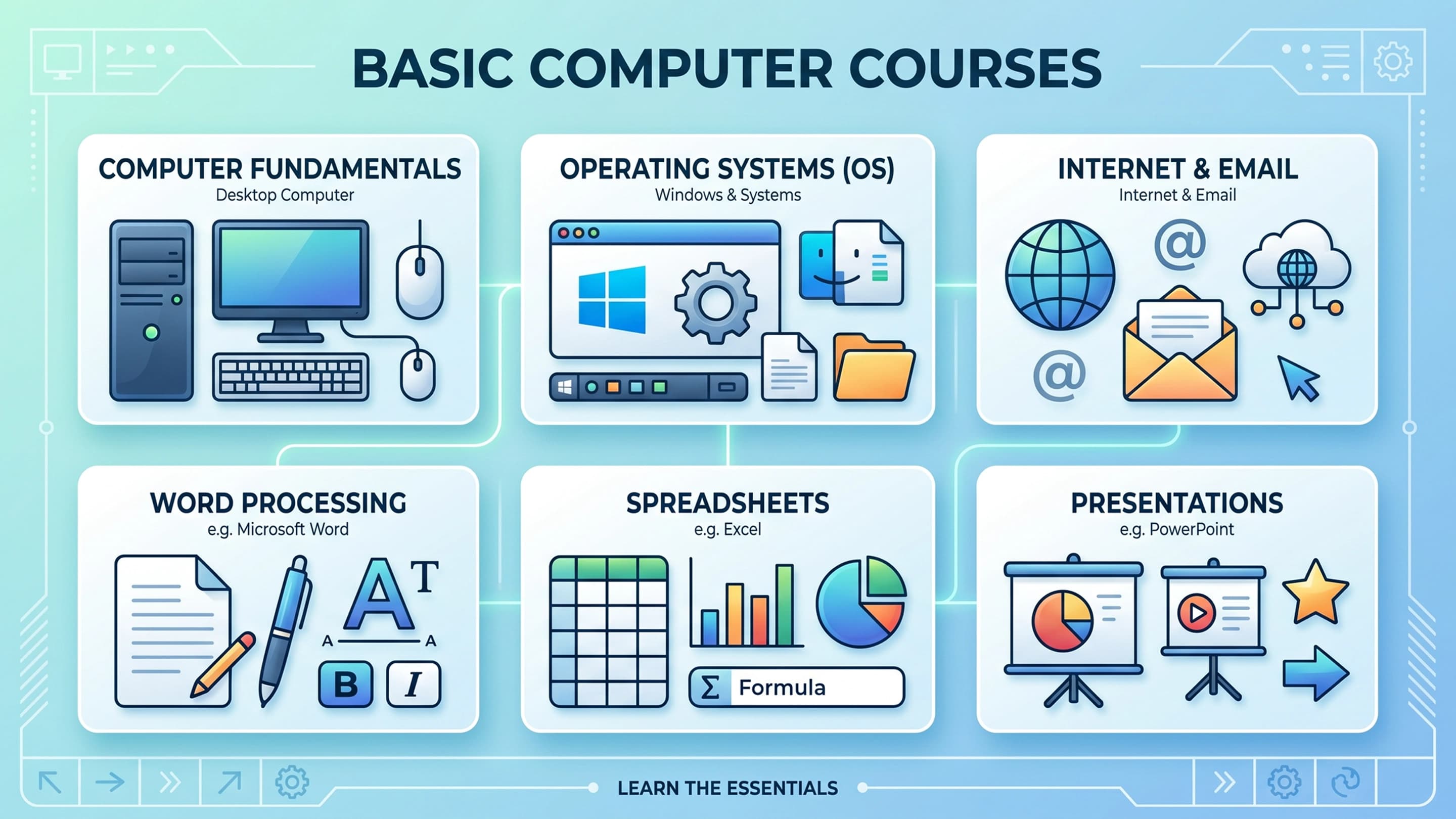
Master Digital Literacy, Core Operating Systems, & Essential Cloud Productivity Course
Interested in this course?
Register your interest or send an enquiry for curriculum details and upcoming batches.
In the modern professional and personal landscape, Digital Literacy is no longer an optional resume additive; it is the absolute baseline currency of human interaction, employment, and personal independence. Every single contemporary industry, from corporate administration and creative arts to localized trades and client services, functions on software systems, cloud storage, and digital communication networks. This foundational, highly encouraging curriculum is engineered to completely dismantle any tech anxiety you may experience, transforming you from a passive, uncertain device operator into a confident, swift digital navigator.
The modern workplace does not just require people who can turn a machine on; it demands professionals who can handle files securely, organize complex data sheets, communicate cleanly across multiple remote applications, and troubleshoot basic software errors independently. This course bypasses confusing, dense computer jargon, anchoring your education inside practical, every-day scenarios. You will practice inside active cloud networks, set up bulletproof personal security arrays, and master the digital tools required to thrive in a high-efficiency environment.
Course Content
The functional, structural, and practical core of this program empowers you to command your digital life completely from scratch:
The Anatomy of Hardware & Connectivity: Understanding ports (USB-C, HDMI), peripheral devices, stable Wi-Fi network configurations, and basic hardware troubleshooting.
The Logic of the Cloud: Demystifying where files live, understanding cloud synchronization versus local downloading, and managing shared folder permissions safely.
Data Presentation and Spreadsheet Formulas: Structuring basic mathematical logic, formatting automated budgets, and creating legible data graphs inside spreadsheet software.
Digital Identity and Footprint Control: Clearing browser histories, understanding tracking cookies, managing software updates, and keeping your machine running at peak velocity.
AI-Augmented Daily Assistance: Learning to safely use built-in AI assistants (like Copilot and Gemini) to draft professional letters, summarize long documents, and speed up learning.
Syllabus
This step-by-step foundational track guides you seamlessly from initial hardware configurations to advanced cloud document publishing and deep security protocols:
Module 1: Hardware Foundations, OS Navigation, & Interface Customization: Mastering ports, configuring desktop accessibility preferences, establishing stable internet links, and navigating settings menus.
Module 2: File System Mechanics, Storage Architecture, & Organization: Designing clean directory structures, understanding file extensions, moving files between local drives and USB storage, and utilizing system search.
Module 3: Cloud Processing, Document Engineering, & Word Processors: Crafting professional business letters, formatting tables, embedding images, and managing cloud sharing versions in Microsoft Word and Google Docs.
Module 4: Data Entry, Spreadsheets, & Automated Math Functions: Building simple calculation sheets, managing rows and columns, utilizing SUM/AVERAGE functions, and creating visual pie and bar charts.
Module 5: Digital Correspondence, Virtual Calendars, & Remote Teams: Automating email folders, setting up digital signatures, coordinating multi-person calendar invites, and attending virtual video conferences.
Module 6: Defensive Cybersecurity, Browser Optimization, & System Recovery: Setting up multi-factor authentication, avoiding internet scams, using password vaults, and scheduling automatic file backups.
Career Scope & Opportunities
Total mastery over core computing systems serves as the essential doorway to almost every modern office-based and remote job in the global economy:
Administrative Assistant / Office Coordinator: Managing company document systems, coordinating communication lines, organizing databases, and maintaining executive calendars.
Customer Support & Client Success Specialist: Operating communication channels, navigating cloud client-relationship databases, and handling customer accounts across internet platforms.
Data Entry Clerk & Records Technician: Updating corporate databases, creating precise spreadsheets, and maintaining organized tracking logs for logistics or medical offices.
Remote Operations Associate: Navigating collaborative cloud software to work flexibly from anywhere in the world for progressive digital companies.
E-Commerce & Storefront Operator: Managing inventory sheets, processing digital payments, coordinating online shipments, and responding to digital consumer queries.
Market Demand
A person's digital capability dictates their professional efficiency and earning ceiling. In a professional world completely dominated by screen-based systems, a lack of confidence with files, spreadsheets, or cloud tools causes immense operational friction and lost time. Companies cannot afford to lose hours to accidental file deletions, disorganized document systems, or basic security blunders like falling for email scams. Because automated tools still require capable human hands to feed them data and format their outputs, businesses are constantly seeking personnel who can navigate computers flawlessly. Organizations across all sectors are continuously hiring workers who possess verified, bulletproof digital literacy skills.
Skills to Gain
By graduating from this foundational course, you unlock versatile capabilities that protect your data and enhance your professional value:
Absolute Device Operating Autonomy: The total confidence to navigate any Windows or Mac desktop environment without needing to ask others for basic operational assistance.
Hyper-Velocity Cloud Collaboration: The ability to work smoothly alongside teammates inside live, shared documents without breaking formatting or losing data history.
Production-Grade Data Formatting: The professional skill to turn raw, confusing numbers into clean, beautifully formatted spreadsheets and presentations that look excellent to management.
Proactive Security Shielding: The peace of mind that comes from knowing your personal finances, passwords, and sensitive files are locked down against malicious web threats.
Scalable Lifelong Learning Base: Building a solid, clear understanding of how computer logic works, allowing you to easily learn advanced, high-paying software tools in the future.
Note on Software Updates: Specific application layouts, cloud interface updates, and practice lesson profiles evolve continuously to match live software upgrades from Microsoft, Apple, and Google. As digital educators, we carefully study user-experience developments to ensure your computer literacy training matches the exact systems you will encounter in the real world.
What you will learn
- Operating System Architecture & Navigation
- Structured File Systems & Data Management
- Cloud Productivity & Modern Office Workspaces
- Digital Communication & Collaboration Engines
- Internet Architecture & Advanced Search Mechanics
- Essential Cybersecurity & Personal Data Defense
Interested in this course?
Register your interest or send an enquiry for curriculum details and upcoming batches.